
Virtual Assistant case study: the baking teacher

Virtual Assistant case study number two. This was a very big job with lots of components linked to other aspects of the client’s business. Although what I did made my client more money, the main benefit for her was simply that she could finally take a day off and enjoy her life. (more…)
Posted in: Client case studies
Virtual Assistant case study: the website design and development company

Virtual Assistant case study number one. New inquiries often want to know what kinds of things I do as a VA so I thought case studies might be a great idea to better explain this. This case study covers the testing and analysis work I do for a website design and development consultant. (more…)
Posted in: Client case studies
7 Gmail labs for a more productive inbox
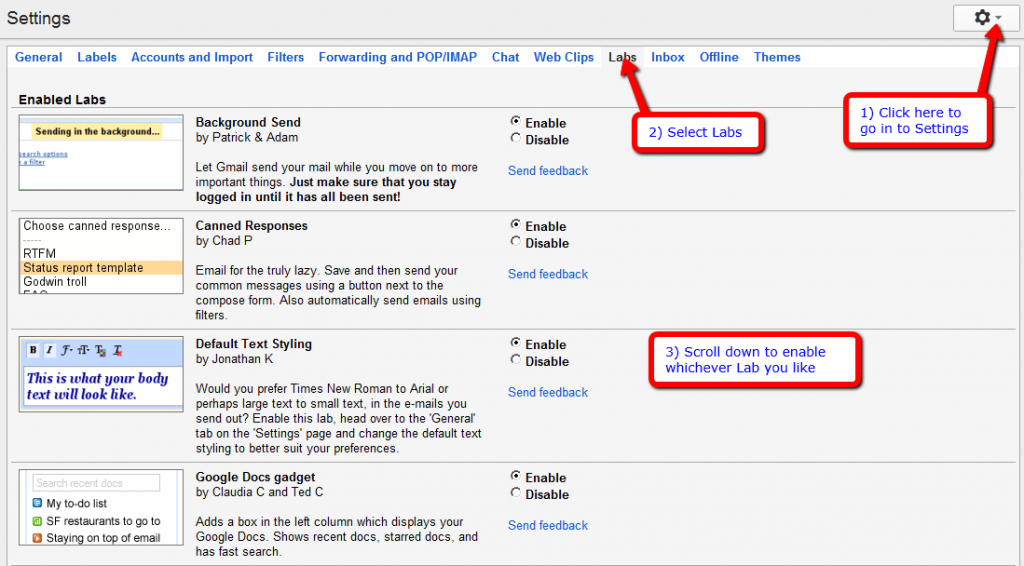
Gmail has a whole section called Labs where you can find apps you can use to tailor your account and make it work better for your needs. Some of them are very handy, some of them are just fun and others are absolutely essential!
Posted in: Email tips, Productivity tips
How to become a Virtual Assistant

People are always contacting me to ask how I became a Virtual Assistant and to ask if I can give them tips and advice. Apparently I have a very good business model and they like my website and blog.
Aside from being enormously flattered, I first decided to save time by writing down how you become a VA – which is the blog post below, then I decided to set up a whole website dedicated to showing people exactly how to set up and run a successful VA business
Because I like to help and I don’t do things by halves!
(more…)
Posted in: What I do
How to group your Gmail contacts
Grouping your email contacts will really save time in the long run. Grouping them means you can manage them more easily and even use your list as a Customer Relationship Manager (CRM) system and mailing list.
If you don’t use Gmail then I’d highly recommend doing so. I use one single Gmail account to import loads of other emails accounts so I can manage them all in one place without logging in and out constantly. Plus Gmail has loads of other amazing features that save you time and hassle. (more…)
Posted in: Email tips, How-tos
Assisting the bars dept at The Green Man Festival
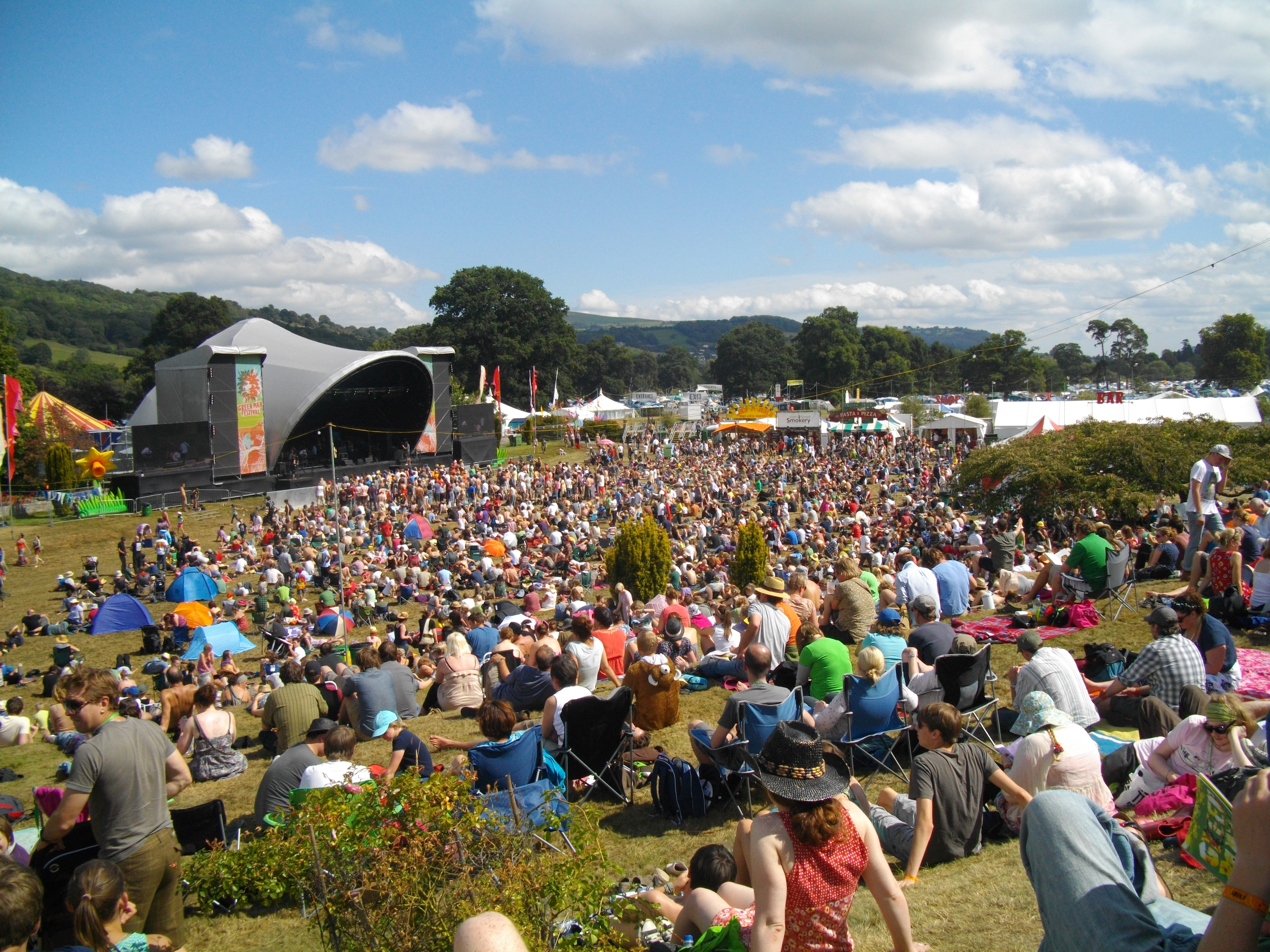
I haven’t been around to update my blog in a while because I’ve been flat out busy with my biggest annual project as the Bars and Admin Officer at The Green Man Festival in Wales. (more…)
Posted in: Client case studies, Event work
Feedly RSS reader review

I’m going to say something quite geeky and sad now… I love my RSS reader. There, I said it. I must explain that the reason I love it is because it’s not your average run of the mill, boring Reader – I use Feedly which looks like a clean, glossy magazine page and is beautifully designed that it’s simply a pleasure to use. (more…)
Posted in: Productivity tips, Social media tips
How to use social media

Social media can be used to find out what people think of your product or service, gather market research, recruit, deliver better customer service, interact with customers, promote events and offers, show people what you do and to keep up with industry developments… and it’s all free!
Having an online presence raises your brand awareness, marks you out as knowledgeable in your field, helps you build and maintain relationships, and when people connect positively with you online, they spread the word. Which leads to good things. (more…)
Posted in: Social media tips